
The MyEd BC Student/Parent Portal is a secure portal that gives parents/guardians and students access to school records for the current school year. Learning Updates (formally referred to as report cards), attendance, student schedules and other information can be found on the portal. Published reports are available for the current school year. It is recommended to download and save these reports.
Login accounts are created for parents/guardians who have indicated that they have parental authority and provided their email address to the school. The username and temporary password will be sent to the email address provided when an account has been created. Each parent/guardian will have their own unique account.
Click here to login to MyEd BC Student/Parent Portal
Click here for MyEd Student Portal Published Reports Help
You will receive an email from sysadmin@myeducation.gov.bc.ca when your account has been created with your temporary login password. Please check your junk mailbox if you have not received an email.
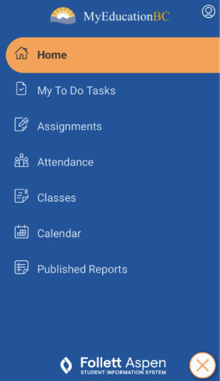
Parent/Guardian Sign In:
- Your username is your primary email address on file.
- If you are a parent and your child(ren) is already enrolled in SD83 DO NOT Request an Account. This will create a temporary account that does not correctly link to your children. Please call or email for help with account access.
- If you are logging in for the first time, you will be prompted to change your password and establish a security question. It is important to remember your security question as it will allow you to recover your password if you forget it. Please note that passwords expire after 90 days.
- Once you have successfully logged in once to the MyEd Student/Parent Portal, if you choose, you can link your MyEd account to your BC Services Card App.
- Online Registration is also available thru the MyEd Parent Portal. To access the online registration option, view in full site mode to gain access to the register a new student button.
Link to login to ParentConnect Portal
Here is your link to the ParentConnect Portal: https://parentconnect.sd83.bc.ca
If you are trying to access report cards for PREVIOUS school years, district consent forms, or student fees please login to the ParentConnect Web App. This application links to School District 83 electronic student files.
For further information on ParentConnect please see ParentConnect FAQ
Student Sign in:
From School (Single Sign-On Available)
You can sign in using your Microsoft 365 account through Single Sign-On (SSO):
- Click Log in with BC Services Card or School District SSO.
- Select District K̓wsaltktnéws ne Secwepemcúl’ecw.
- Click Log In.
- Complete multi-factor authentication (MFA) if prompted.
- Approve the required district cloud consent form if required.
From Home
You have two options:
- Sign in using your SD83 student email address (username) and password, or
- Use Single Sign-On (SSO) by following the steps above.
Link to login to StudentConnect Portal
Here is your link to the StudentConnect Portal: https://studentconnect.sd83.bc.ca
If you are trying to access report cards for PREVIOUS school years, district consent forms, or student fees please login to the StudentConnect Web App. This application links to School District 83 electronic student files.
View the Family and Student Portal Video Instructions to learn more about navigating through the portal. If you require further assistance, please email MyEdSupport@sd83.bc.ca or call (250) 804-7846 Monday-Friday 8am-3pm.